

Three. Million. Installs.
We’re still pinching ourselves. WPCode has officially crossed 3,000,000 active installs on WordPress.org.
And we couldn’t think of a better way to celebrate than shipping a fresh update.
Say hello to WPCode 2.3.5!
Introducing a brand-new visual CSS picker that makes it even easier to place your code snippets anywhere on your website. No more guessing, no digging through HTML, no headaches.
Let’s dive right into the details.
New Visual CSS Picker
Let me paint a picture you might recognize. You want to insert a snippet before a specific element on your page.
So you open your browser’s inspect tool, dig through layers of HTML code, hunt down the right CSS selector, copy it, paste it into WPCode, and hope you got it right. Then you refresh the page to check. It’s in the wrong spot. Back to repeating all these steps again and again.
That’s exactly why we’re excited to introduce the new visual CSS picker in WPCode 2.3.5.
You can now simply select a CSS element on your website with a click of a button. No more guessing or digging through the complex code.
Why does this matter?
- No CSS knowledge required — You don’t need to know CSS or what a CSS selector is. All you have to do is point and click.
- Faster workflow for developers — Even if you do know your way around CSS, why spend 3 minutes hunting for a selector when you can do it in 3 seconds? Your time is better spent elsewhere.
- Fewer mistakes, more confidence — Manually typing or copying selectors is a surprisingly easy place to introduce errors. The visual picker eliminates that entirely. What you click is exactly what you get.
Here’s how it works:
When you create a new snippet, head to the ‘Insertion’ section. From here, you’ll need to change the Location to Before HTML Element.
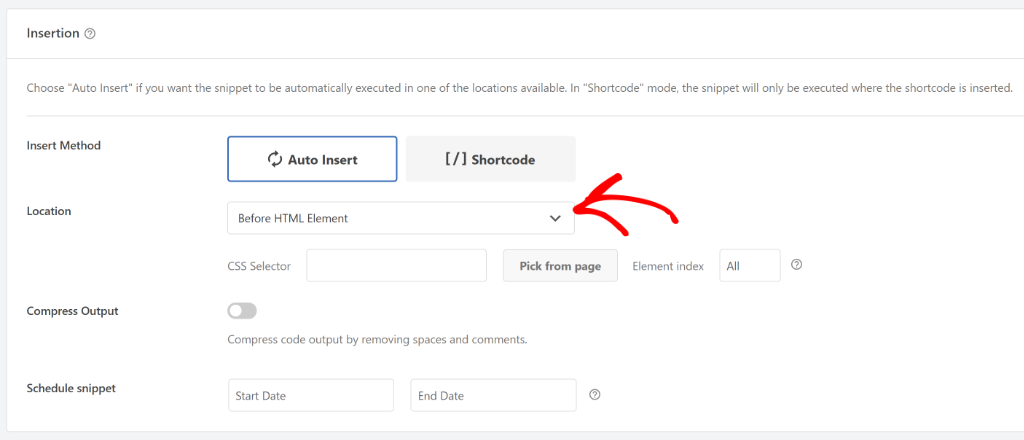
Next, you will see a new CSS Selector field and next to it a Pick from Page button.
When you click this button, your live site loads up as an interactive canvas, and all you have to do is click on the element you want to target.

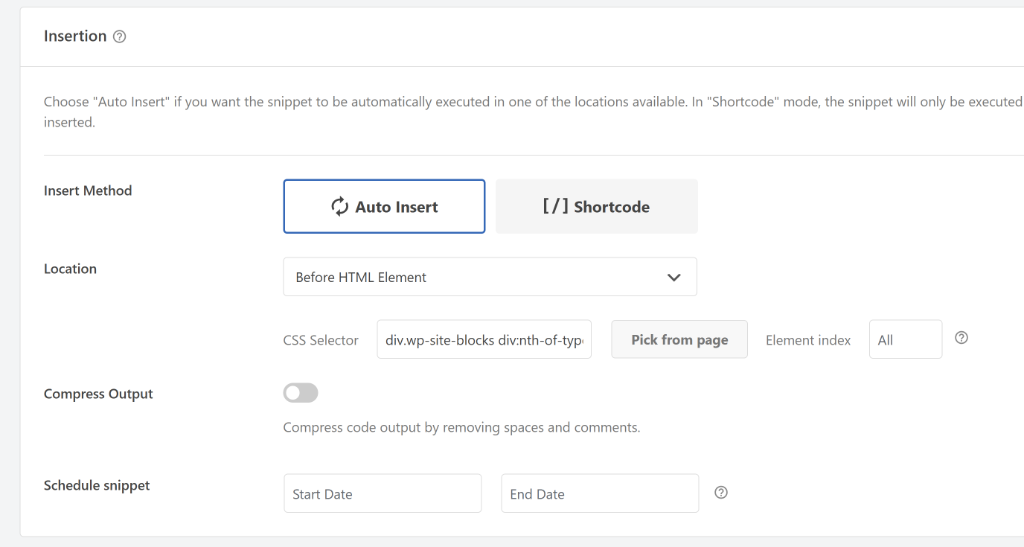
WPCode automatically captures the correct CSS selector for you. Go ahead and click the Done button.
You will then see the CSS class already inserted in the CSS Selector field.
WPCode Just Crossed 3 Million Installs
WPCode just crossed 3,000,000 active installs on WordPress.org.
We are absolutely blown away by the support from this community. Every install represents someone building something amazing. And we’re honored to be part of it.
When we first built WPCode, the idea was simple: we wanted to make it easy for you to add code snippets in WordPress without having to edit your theme’s functions.php file.
If you’ve ever tried to insert custom code into your WordPress site, you know it requires pasting this code into your theme file. And then you update your theme and poof, it’s gone. Or worse, something breaks. We knew there had to be a better way, and WPCode was our answer.
What started as a solution to one of WordPress’s most common frustrations has grown into something we could have never predicted. Three million websites now trust WPCode to manage their custom code!
And none of this would have been possible without you!
Every install, every review, every feature request, every “hey, this plugin saved me so much time,” that’s what 3 million really means.
So from the bottom of our hearts — thank you!
And we look forward to bringing you more new features and improvements. Till then, give WPCode 2.3.5 a try today. The new visual CSS picker feature is now live!
If you have any questions or need more information, then don’t hesitate to reach out. Our team is always here to assist you.