
You know how annoying it is to set up custom event tracking for your social media pixels?
Usually, you have to mess with complex code or hire a developer just to see if someone clicked a specific button or how far they scrolled. It is a pain, so most people stick to the basics and miss out on the good data.
That is why I am pleased to introduce a new feature for our Conversion Pixel Addon!
You can now choose from 10 new custom events and track different user actions on your website. I believe your data should be as unique as your business. You shouldn’t be limited to the “standard” events that everyone else uses.
That’s not all. With the recent release of WordPress 6.9, we have added full support for the new Abilities API in WPCode 2.3.4. This enables AI assistants to communicate directly with WPCode.
Let’s look at the new features in detail.
Unlock the Power of Custom Events Tracking
I know your website is unique. Standard tracking pixels often miss the specific actions that define a conversion for your business.
For instance, standard tracking tells you that someone visited, whereas custom events tell you what they did.
And to make this possible, we have introduced 10 new events to our Conversion Pixel Addon 1.2.1.
You are no longer limited to the basics. You can now define your own Custom Events based on how real people interact with your content.
Here is what you can now track instantly:
- Deep Readers: Trigger an event when someone hits a specific Page Scroll depth.
- Video Watchers: Know exactly who is watching your Embedded Videos.
- High-Intent Clicks: Track clicks on specific Email Links or HTML Elements.
- Engagement: Fire a pixel when a mouse hovers over a CSS selector.
- Form Success: Track WPForms Form Submissions as distinct conversion events.
It gets better. You can map these custom actions to Standard Events (like Lead, Purchase, or AddToCart) for platforms like Facebook, TikTok, Pinterest, Snapchat, and Google.
So, how do you get started?
Simply head to the Code Snippets » Conversion Pixels from your WordPress dashboard. From here, switch to the Custom Events tab.
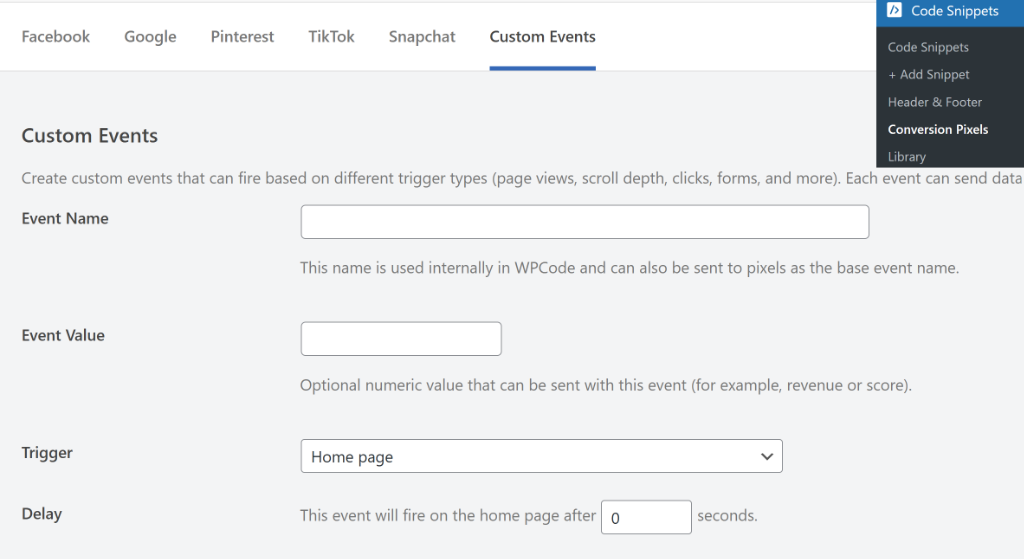
Here, you can enter a name for your event. There is also an optional field to enter a value for your event, such as a score or revenue.
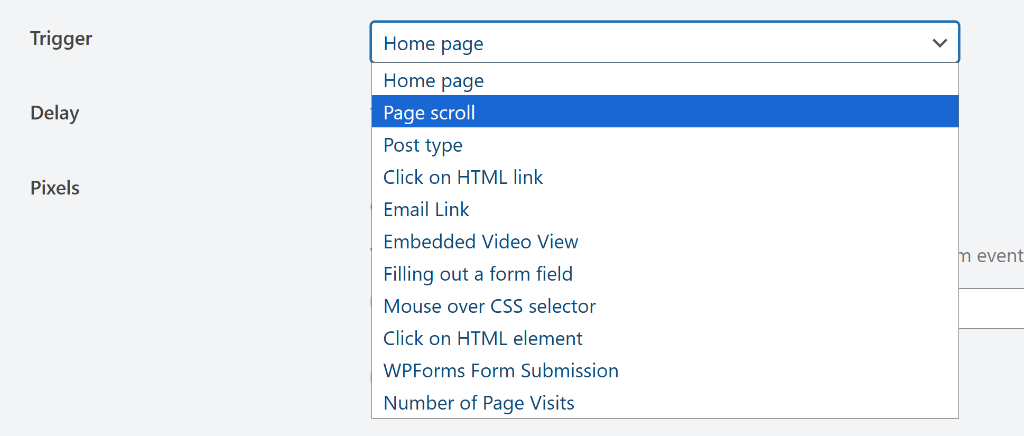
In this latest version, you can select from different triggers for your event. These include page scroll, a post type, email link, embedded video view, and much more.
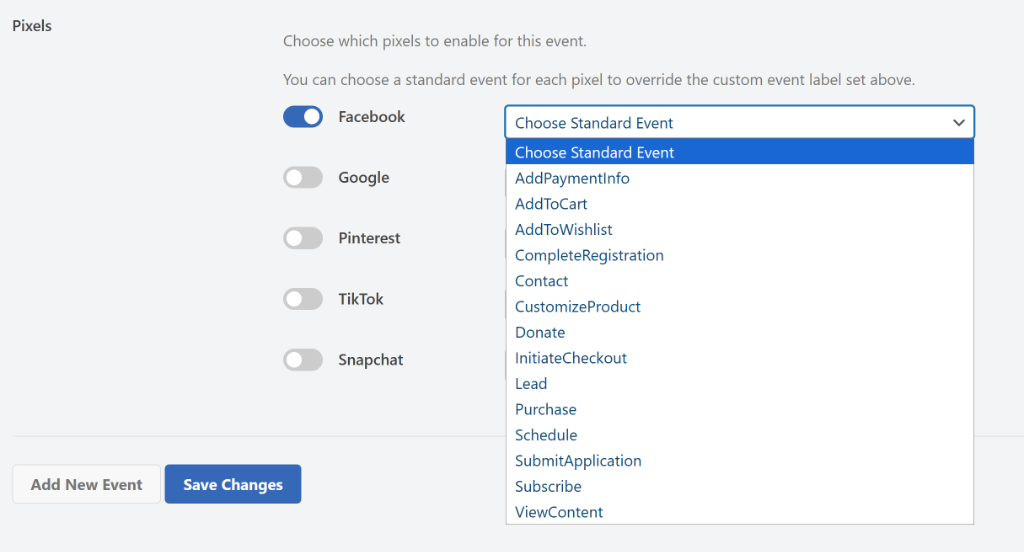
Once you’ve done that, scroll and choose which pixel to enable this event for.
Simply click the toggle to enable the social media pixel (like Facebook or TikTok). Then click the dropdown to choose the event, such as add to cart, payment info, contact, donate, purchase, and other user actions.
Full Support for Abilities API
Our team didn’t stop there at just enhancing custom tracking for your site. They’ve also prepared your site for the future.
With the recent release of WordPress 6.9, you get full support for the new Abilities API.
This enables AI assistants to communicate directly with WPCode, allowing you to use AI to:
- List your snippets instantly.
- Search your library without clicking around.
- Automatically check for snippet errors and debug issues.
It is a smarter way to manage your code, and it is available right now.
That said, these new features are now live!
Picture yourself next week, opening your analytics and actually understanding what your visitors are doing.
So what are you waiting for? Update to WPCode 2.3.4 and Conversion Pixels 1.2.1 now.
And if you have any questions or need more information, don’t hesitate to reach out. Our team is always here to assist you.