

I am thrilled to announce a brand-new feature for Search & Replace Everything that is going to make your workflow much smoother.
Now, you can instantly reuse your previous search and replace operations with a single click.
Simply apply the most recent searches and save time. No more manual re-entry, no more guessing which tables you selected last time.
Let’s dive into the details…
View and Reuse Your Previous Searches
Ever wonder how much time are you wasting re-entering the same search terms and re-selecting the same database tables over and over again?
As a website owner, it can be frustrating to manually re-type the exact terms and try to remember exactly which database tables you selected the last time.
It is a tedious task and takes up time you could spend on more important things.
But with Search & Replace Everything 1.0.9, you can now instantly view your previous searches and apply them to save time.
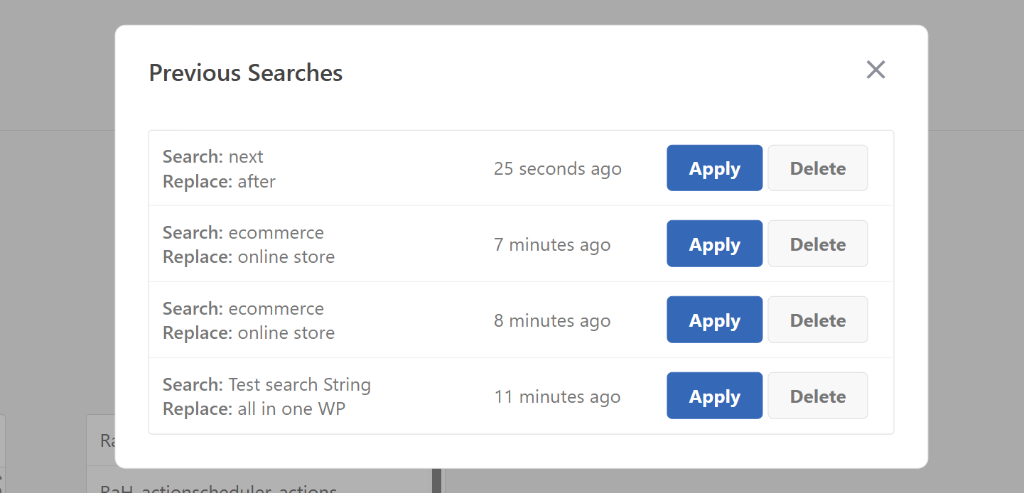
The best part? This feature automatically saves your last 20 search and replace operations, including both your search/replace terms and your selected database tables. Plus, you can delete any of the previous searches with a click of a button.
To use this new feature, you can simply head to Tools » WP Search & Replace page from the WordPress dashboard and click the View Previous Searches option.
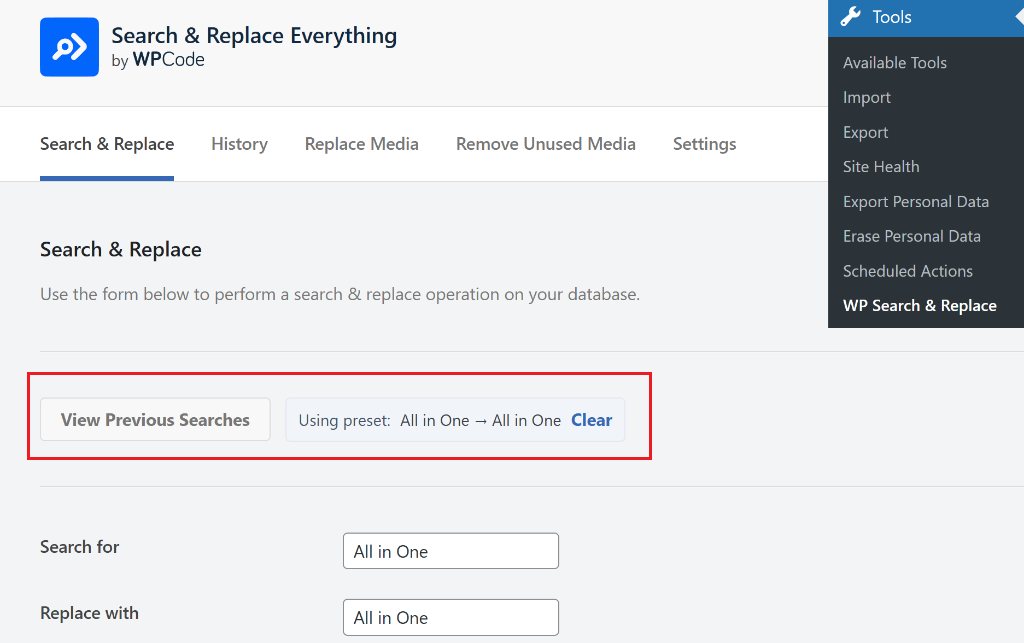
Next, a popup window will open with your previous searches. Here, you will see the last 20 search and replace operation you performed on your site.
You can simply click the Apply button to instantly use the past search operation. This is great as whenever you need to repeat a task, you can quickly reload a previous search without having to set everything up from scratch.
And if you want to remove any of the past searches, simply click the ‘Delete’ button.
With that, this new feature is now live!
Update to Search & Replace Everything 1.0.9 today and experience how much faster database management can be.
As always, thank you for your continued support of Search & Replace Everything, and I look forward to bringing you more exciting updates in the future.
If you have any questions or need more information, then don’t hesitate to reach out. Our team is always here to assist you.